
How do I uninstall Photoshop Plugins?
There are two ways to uninstall plugins on Windows PCs:
(Using Windows 10? Try the Windows 10 instructions instead.)
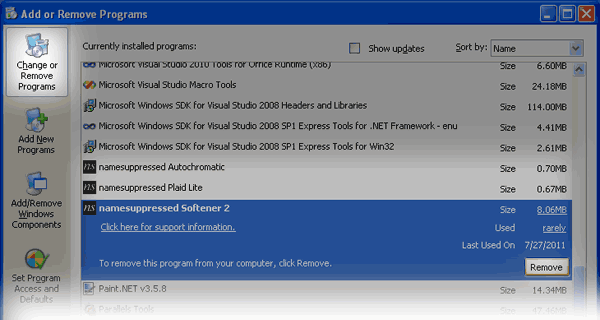
Use the Add/Remove Programs control panel
- Click on Start Menu -> Control Panel
- Click on Add/Remove Programs.
- Find the Photoshop Plugins you want to uninstall in the menu
- Click Remove, and follow the instructions on screen. All done!
Delete the plugin files manually
Caution! Only do this if the above didn't work. You could accidentally delete the wrong Photoshop plugin!
- Click on Start Menu -> Search
- Search for "All Files And Folders" when asked.
- Search for
ns-*.8bfin "All or part of the file name". - This will give you a list of the namesuppressed plugins on your computer:
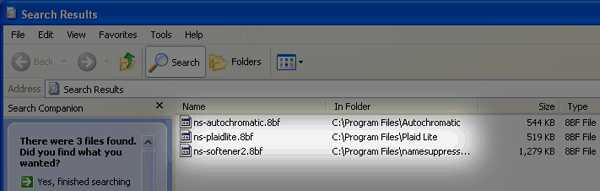
- Right-click on a file to delete that plugin. eg
ns-softener2.8bfis Softener 2. - Tip: Never copy/move a
.8bffile, unless you know what you're doing. If you do, the uninstaller program won't work correctly and you'll have to delete the file yourself.